
ScreenCommand Press Kit
Everything you need to cover ScreenCommand accurately: a fact sheet with our exact claims, the limitations stated plainly, quote-ready boilerplate, and downloadable assets. Anything missing? Email support@screencommand.app.
Fact sheet
- Name: ScreenCommand, by Simple Products Studio (Simple Products Labs LLC).
- What it is: an iPad and iPhone app that puts a desktop-class browser on an external monitor or TV, while the iPad or iPhone becomes the trackpad and keyboard.
- Price: $4.99 one-time. No subscription, no in-app purchases.
- Availability: available now on the App Store for iPad and iPhone (version 1.0 released August 22, 2026; iPhone support arrived in version 1.2).
- Platform: iPad and iPhone. There is no Mac version.
- Requirements: a USB-C iPad running iPadOS 17 or later, or an iPhone running iOS 17 or later. It works even on a non-M iPad. A wired iPhone connection needs USB-C video out (iPhone 15 or later, except iPhone 16e, iPhone 17e and iPhone Air).
- Connection: wired USB-C or USB-C-to-HDMI/DisplayPort (recommended for the lowest cursor latency), or AirPlay to an Apple TV, which works with slightly more cursor lag.
- Display: the browser fills the external screen edge to edge because it adapts to your display's native resolution; no black bars, no scaled-up touch layout.
- Windows and tabs: up to 4 windows with 12 tabs each; windows, tabs and site logins are still there the next time you connect.
- Cursor: 8 customizable cursor styles (Default, Gaming Pro, Cyberpunk Neon, Elegant Glass, Liquid Crystal, Luxury Gold, Aurora Borealis, and Minimal Dark), with adjustable size and speed.
- YouTube: seek, YouTube quality up to 4K (2160p), and Cinema Mode, which dims the iPad or iPhone during fullscreen video, plus a one-tap skip for skippable video ads.
- Privacy: zero data collection, zero tracking, no account to create. Full details in the Privacy Policy.
Where it fits
Verified September 2026 · iPadOS 27Apple's own answer to external displays, Stage Manager, requires an M-series iPad for its extended-display mode, and that is still true on iPadOS 27: iPadOS 26 brought Mac-like windowing to all compatible iPads, but the extended external display stays M-series-only. Every other iPad simply mirrors its own screen, black bars included.
ScreenCommand's browser works even on a non-M iPad. To be clear about where we draw the line: M-series owners who need multi-window native apps on the monitor should just use free Stage Manager. ScreenCommand is for browsing, and for the iPads Stage Manager leaves out.
The honest limitations
We'd rather you print these than have a reader discover them. Please include whichever are relevant to your story:
Two windows on screen at most
ScreenCommand shows one browser window on the monitor, or two side by side. You can keep up to 4 windows with 12 tabs each and switch between them, but not tile more than two.
No Mac version
ScreenCommand runs on iPad and iPhone. There is no Mac version.
Boilerplate
Quote either of these verbatim, or adapt freely. Just keep the facts intact.
One-liner
ScreenCommand ($4.99, one-time) turns an external monitor or TV into a desktop-class browser, with an iPad or iPhone as the trackpad and keyboard, even on a non-M iPad.
Full boilerplate
ScreenCommand is made by Simple Products Studio (Simple Products Labs LLC). The app puts a desktop-class browser on an external monitor or TV while the iPad or iPhone becomes the trackpad and keyboard. It works even on a non-M iPad, any USB-C iPad running iPadOS 17 or later, and on iPhone, over a wired USB-C connection (recommended for the lowest cursor latency) or AirPlay to an Apple TV. It keeps up to 4 windows of 12 tabs each, with their logins, between sessions, offers 8 customizable cursor styles, and plays YouTube with quality up to 4K. Netflix, Prime Video, Apple TV+, Paramount+, Peacock and other streaming services play over a wired USB-C connection. ScreenCommand is $4.99 one-time with no subscription and collects zero data.
Downloadable assets
- Logo (SVG): logo-screencommand.svg. Vector, scales cleanly at any size.
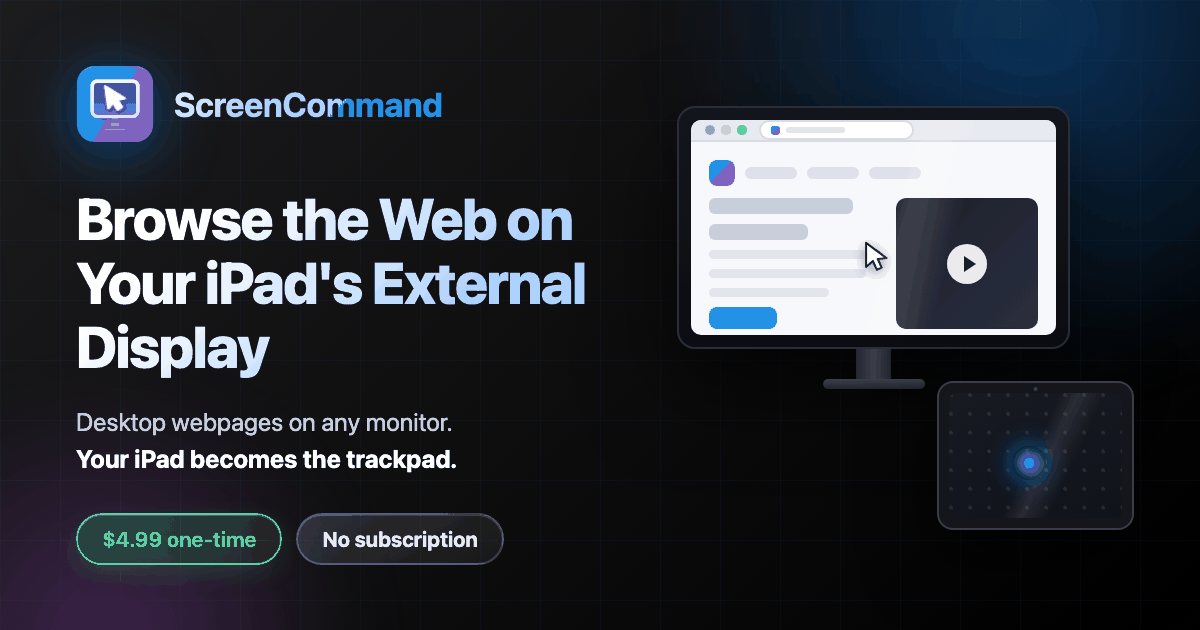
- Preview image (PNG, 1200 × 630): og-image.png. ScreenCommand's social preview: an iPad controlling a desktop browser on an external monitor.
- App Store screenshots: on the App Store listing. Need the originals at full resolution? Email us and we'll send them.
Press contact
For questions, corrections, interviews, or anything this kit doesn't answer, email support@screencommand.app. It reaches the people who build the app, not a ticket queue. Setup and troubleshooting details live on the support page, and common product questions are covered in the main FAQ.